Stopping and Pause Mode
When you need to bring your Kachaka or Kachaka Pro to an immediate halt, you have three options. One of them — pressing the power button — also puts the robot into Pause Mode, which holds it completely still. Each method is covered below.
Three Ways to Stop
1. Voice Command
Say “ねぇカチャカ、止まって” (Hey Kachaka, stop) to the robot. Once it recognizes the command, it replies “止まります” (Stopping) and halts on the spot. The wake word “ねぇカチャカ” is a fixed Japanese phrase, so call it exactly as written.
2. Press the Power Button (Pause Mode)
Press the power button on the robot once to enter Pause Mode. The LED ring turns solid yellow and the robot stops. See the “Pause Mode” section below for the full behavior.
3. In the App
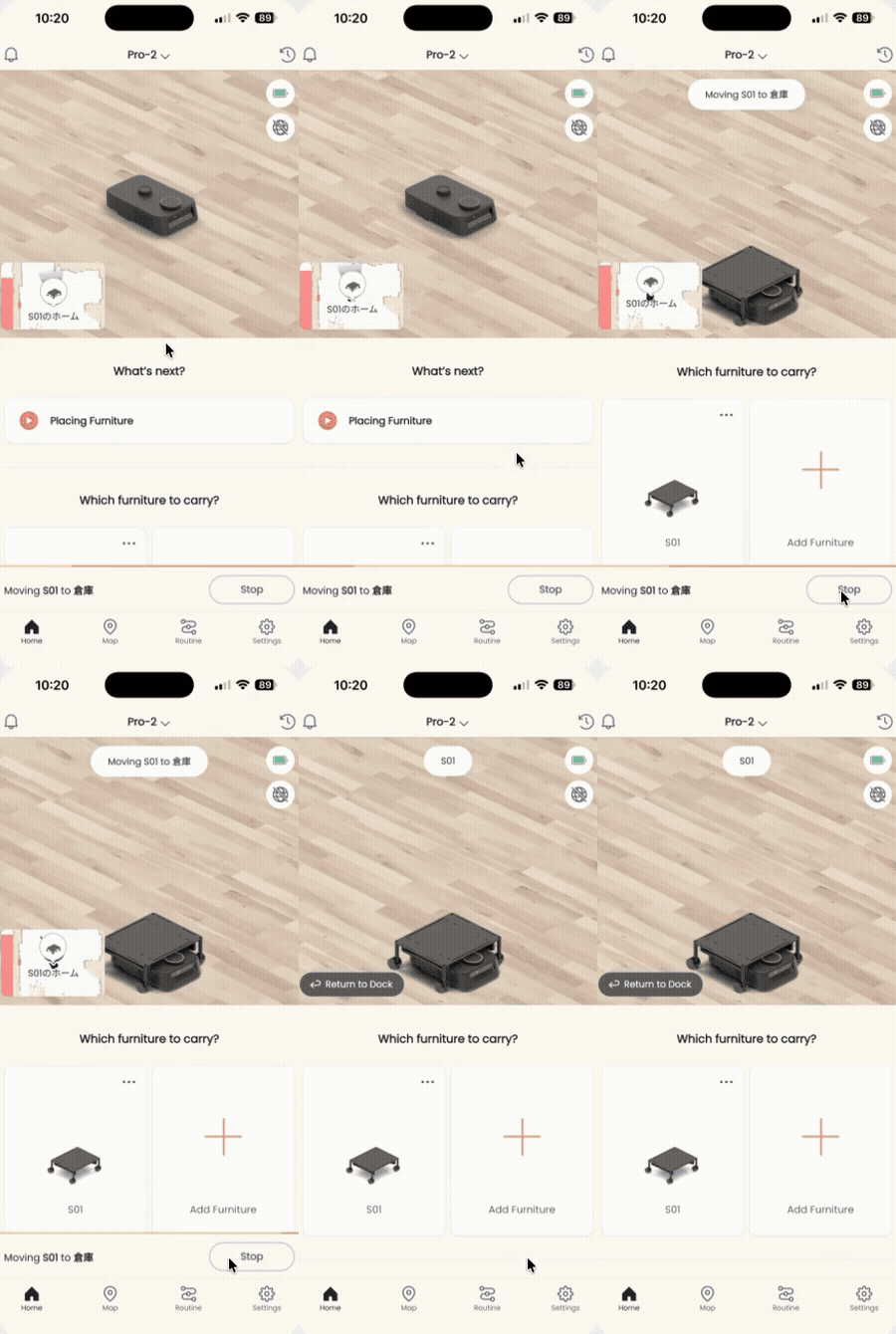
While Kachaka is moving, a “Stop” button appears at the bottom-right of the app’s home screen. Tap it to play a cancel tone and stop the robot where it stands.
Pause Mode: Behavior and Releasing It
Pause Mode holds the robot completely still — it stops not only movement but also voice recognition. So while paused, saying “ねぇカチャカ” gets no response.
Pay close attention to how tasks are handled:
- A task assigned while paused is treated as cancelled.
- A task interrupted mid-execution by entering pause is likewise cancelled.
- As a result, releasing pause does not resume the original task — you must assign it again.
To release pause: press the power button once more. The LED ring switches from yellow to solid white, indicating pause is cleared and the robot has returned to standby.
LED ring colors at a glance: yellow = paused, white = normal standby.
Screens