Protruding Obstacle Detection
Protruding Obstacle Detection is a safety feature on Kachaka and Kachaka Pro. When it is on and the robot is carrying furniture, it detects obstacles that stick out in front of or above the robot — such as a tabletop, chair legs, or a protruding shelf edge — and steers around them or stops, so the furniture and the robot body avoid hitting these overhanging, sideways-jutting objects.
Turning it on or off
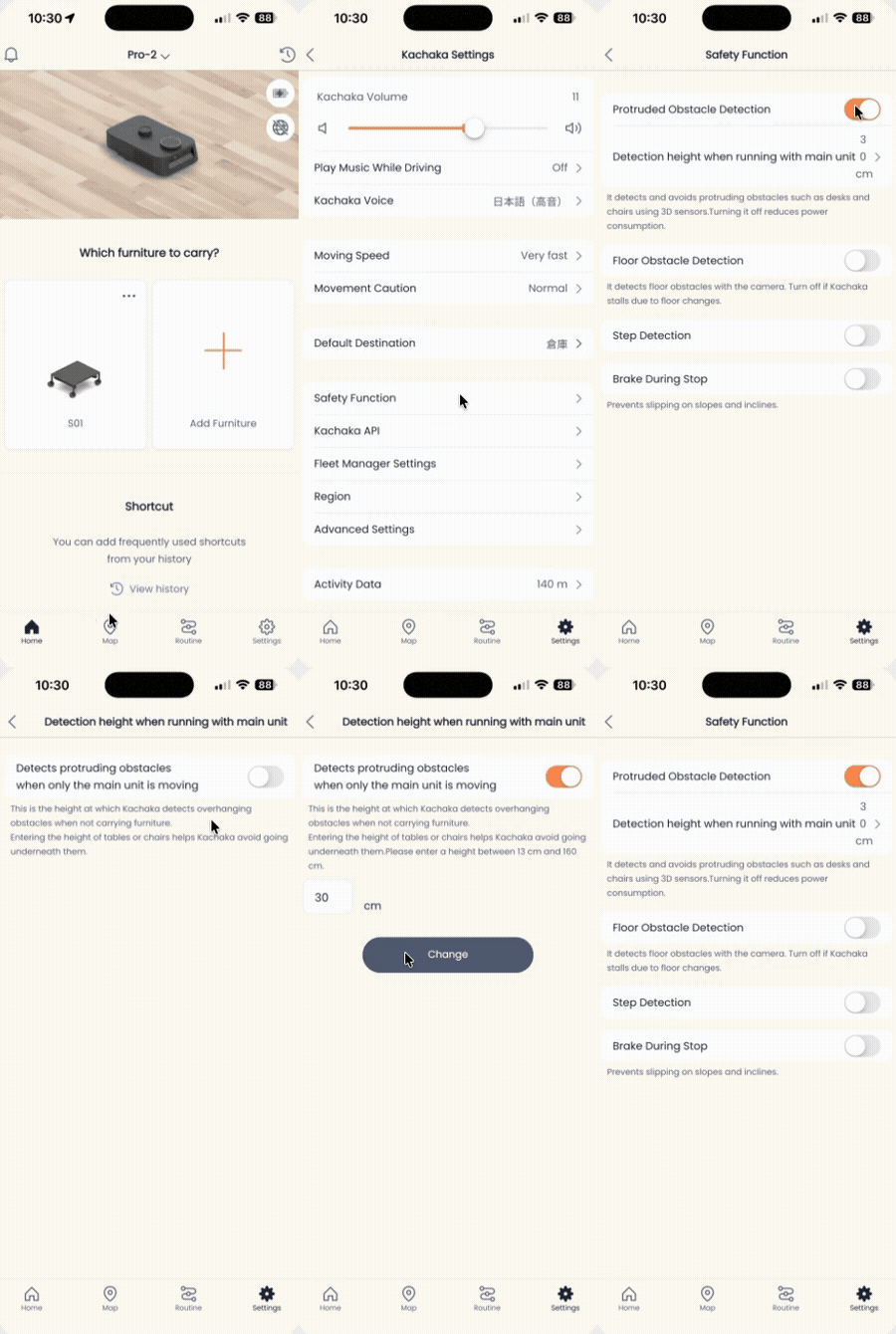
You toggle this setting under Safety Features in the Kachaka App:
- Open the Kachaka App and tap the Settings tab at the bottom.
- Under Kachaka Settings, tap the Kachaka you want to adjust.
- Tap Safety Features in the center of the screen.
- Find Protruding Obstacle Detection and tap the toggle to switch it ON or OFF.
On vs. off behavior
- ON: While carrying furniture, the robot detects and avoids tabletops, table legs, and similar protruding objects ahead before driving on. Keeping it on is recommended for most situations.
- OFF: While carrying furniture, the robot keeps following its planned path even when it detects an obstacle in front or above.
Choose the setting that fits your environment.
If the robot stops oddly in open space
If the robot stops or detours abnormally in an open area where there is clearly no obstacle, try temporarily turning Protruding Obstacle Detection off to test whether the issue comes from a false detection by this feature. Once you have confirmed the cause, decide whether to leave it on or off as needed.
Screens