Block Entry Onto Carpets
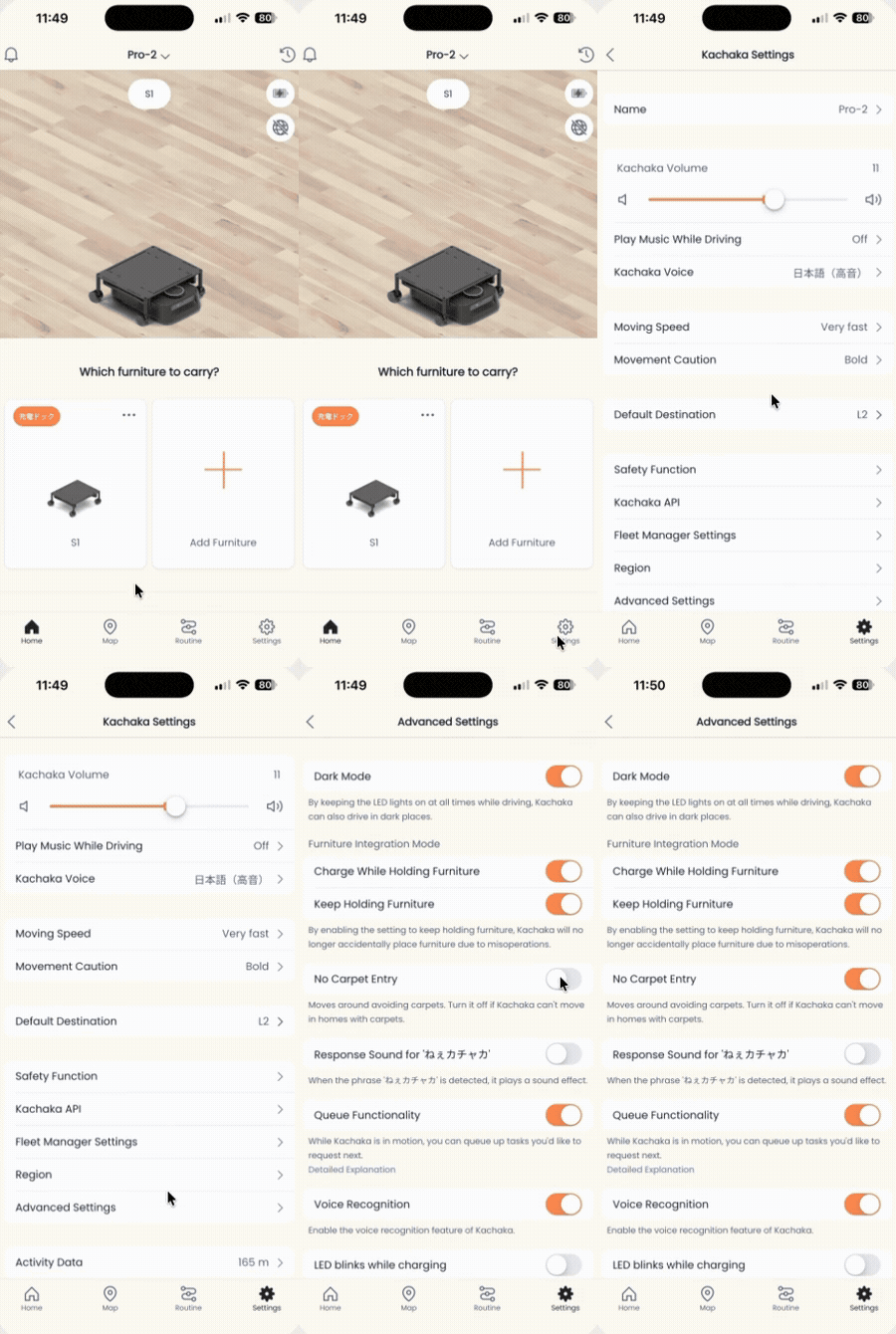
Both Kachaka and Kachaka Pro can recognize rugs, mats, and small carpets with the robot’s camera, then automatically steer around them so the robot does not drive onto them. If you do not want the robot crossing a particular rug or mat, simply turn on “Block Entry Onto Carpets” in the App — there is no need to manually outline the area on the map.
Turning “Block Entry Onto Carpets” on or off
- Open the Kachaka App and go to the Settings tab.
- Under Kachaka Settings, tap the specific Kachaka you want to configure.
- Tap Detailed Settings in the middle of the screen.
- Find the Block Entry Onto Carpets toggle and set it to suit your needs:
- On: the robot will not drive onto detected carpets.
- Off: the robot is allowed to drive onto carpets.
Choose on or off based on your environment. The change takes effect immediately.
Things to keep in mind
- This feature uses the camera image to recognize carpets, which is a different mechanism from a manually drawn no-go zone on the map. To explicitly block a specific area by outlining it (carpet or not), use No-Go Zones and Enterable Areas instead.
- Detection accuracy is affected by carpet color, pattern, and lighting. If the robot stops on a patterned or color-changing floor where there is no actual carpet, that is the floor-obstacle detection at work — see Collisions, Obstacle Detection and Floor-Pattern Stops.
- This feature is about avoiding carpets, which is separate from whether the robot can travel over them at all. Thick carpets such as long-pile rugs are not suitable for Kachaka to drive on in the first place; see Environment Requirements: Temperature, Floor Heating & Unsuitable Locations for those limits.
Screens