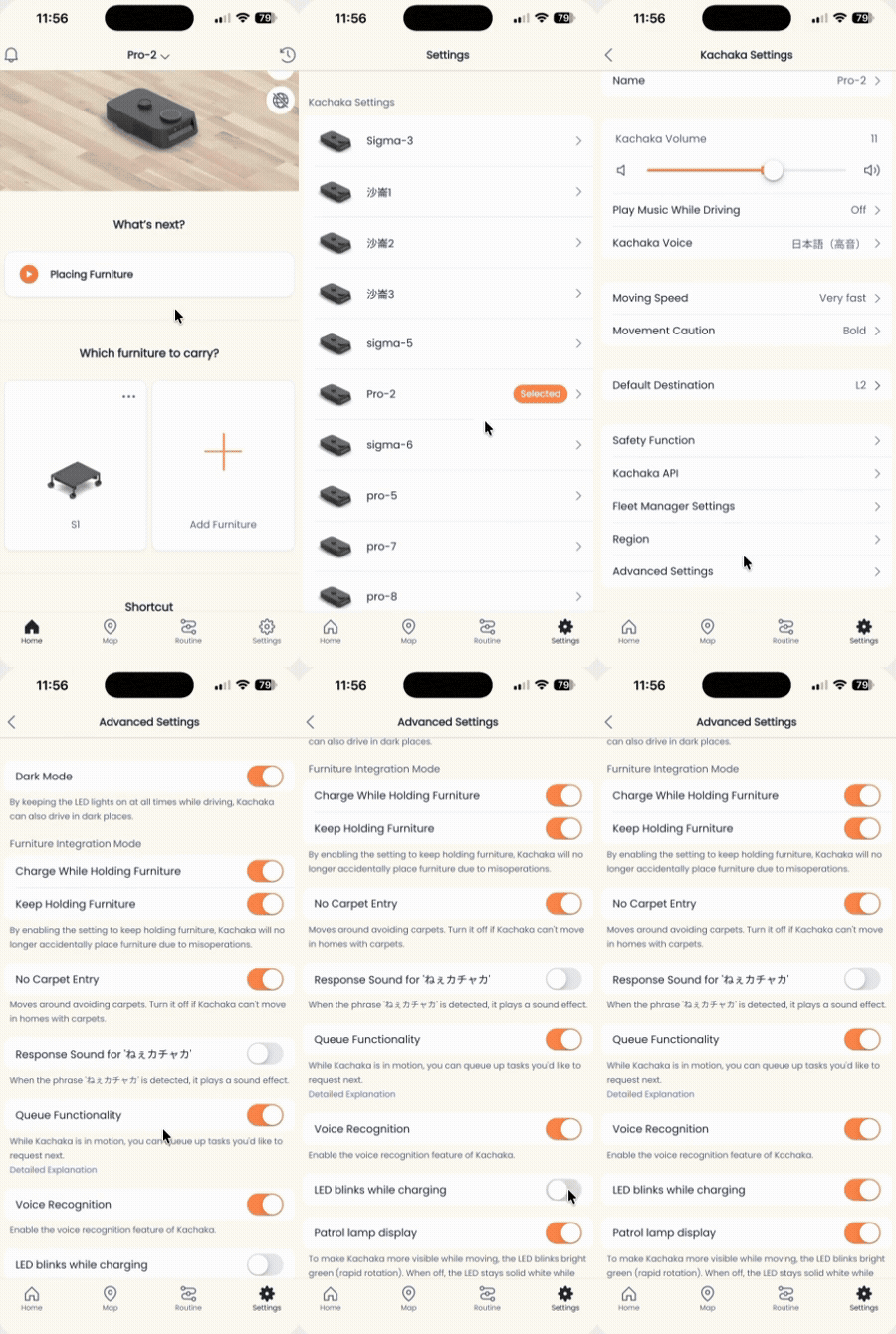
Set Charging LED Ring to Blink or Turn Off
When Kachaka or Kachaka Pro returns to its dock to charge, the LED ring on the body blinks by default to show that it is charging. If the dock sits in a bedroom, meeting room, or anywhere you would rather not have a blinking light, you can turn that blink off in the app so the ring goes dark a short while into charging.
What the two modes do
- On: The LED ring keeps blinking throughout charging, until the robot is full or leaves the dock.
- Off: The LED ring turns off about 1 minute after the robot returns to the dock, and stays off for the whole charging session.
Both modes only affect the light shown while charging. They do not change how charging works, and they do not change what the LED means in other states (such as errors, pause, or low battery). To read the meaning of each color and pattern, see the LED Status Light Reference.
Steps
- Open the Kachaka app and tap the “Settings” tab at the bottom.
- Under “Kachaka settings,” tap the robot you want to adjust.
- Tap “Advanced settings.”
- Find the “Blink LED while charging” toggle and tap to switch it:
- On: the ring keeps blinking while charging.
- Off: the ring turns off about 1 minute after the robot reaches the dock.
Notes
- This feature requires robot software v2.5.4 or later. If you cannot find the toggle under “Advanced settings,” check and update your robot’s software version first. See Checking Your App and Robot Software Versions and Updating the Robot’s Software.
- For related charging behavior, such as how long the robot waits before returning to the dock, see Set the Auto-Return-to-Dock Timer.
Screens