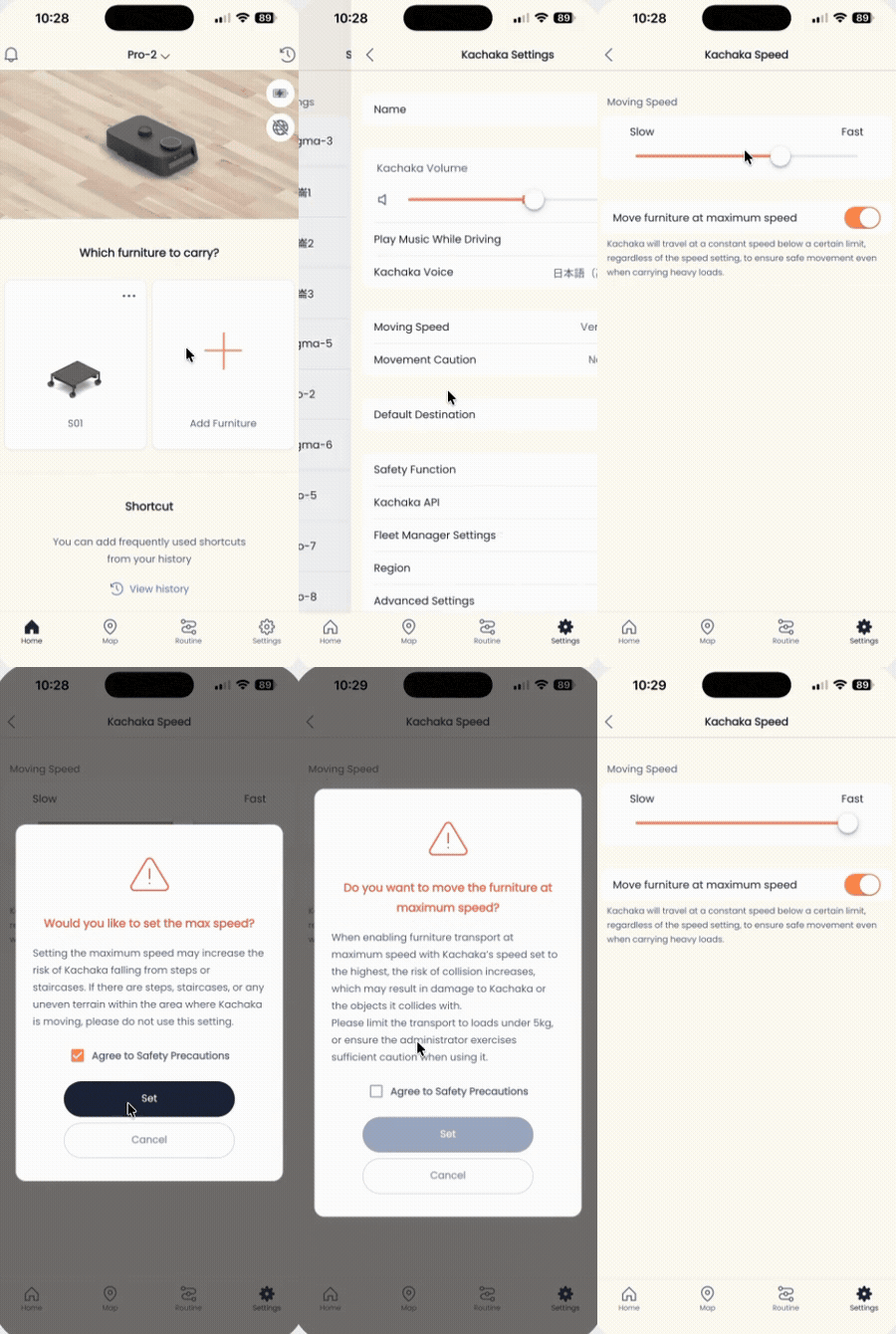
Adjusting Movement Speed
You can adjust how fast Kachaka and Kachaka Pro travel. Speed it up when the space is open and you want efficiency; slow it down for crowded areas, narrow aisles, or whenever you want steadier, gentler movement. The setting lives in the Kachaka App and, once applied, takes effect for all subsequent moves and delivery tasks.
Adjust movement speed in the App
- Open the Kachaka App and go to the “Settings” tab.
- Under “Kachaka settings,” tap the Kachaka you want to adjust.
- In the middle of the screen, find and tap “Movement speed.”
- Drag the slider: toward “faster” for brisker travel, toward “slower” for steadier movement and calmer arrivals.
A few things to keep in mind
- Speed is a robot-wide setting that applies to every destination and delivery task; the next move runs at the new speed.
- If the robot wobbles while carrying something heavy or larger than the base, slowing down helps — and you may also want to turn on a gentle start. See Wobble Under Heavy Loads: Gentle Start.
- To slow Kachaka only in a specific area (for example a busy aisle) rather than everywhere, Kachaka Pro can instead use Setting Speed Zones (Kachaka Pro) to mark a zone on the map and set its speed independently.
- Speed only controls how fast it goes; if you want Kachaka to be more willing to squeeze through narrow passages, that is a separate setting — see Adjust Movement Caution Level.
- Top travel speeds per model (unloaded and carrying furniture) and other hardware figures are in Hardware Specs: Dimensions, Weight & Speed.
Screens