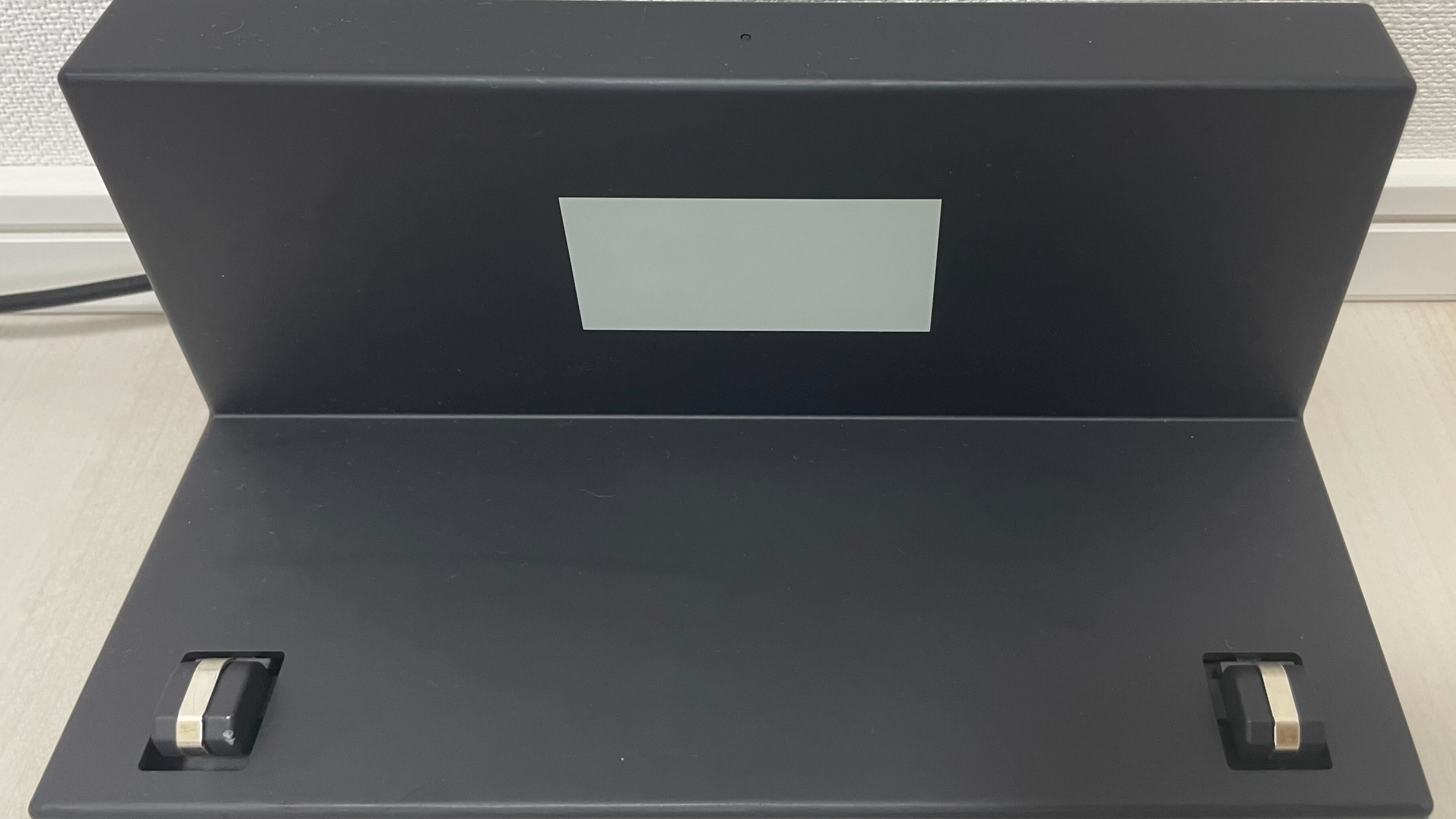
Placed on Dock but Not Charging
Kachaka is sitting on the dock, but the battery level never climbs? This is usually not a fault in the robot itself — it almost always comes down to power delivery or contact. Work through the checks below in order, from “is power actually reaching the dock” to “is the robot making proper contact,” and most cases resolve on their own.
If you have gone through every check and it still will not charge, please contact Sigma for assistance.
Step 1: Check the AC adapter LED
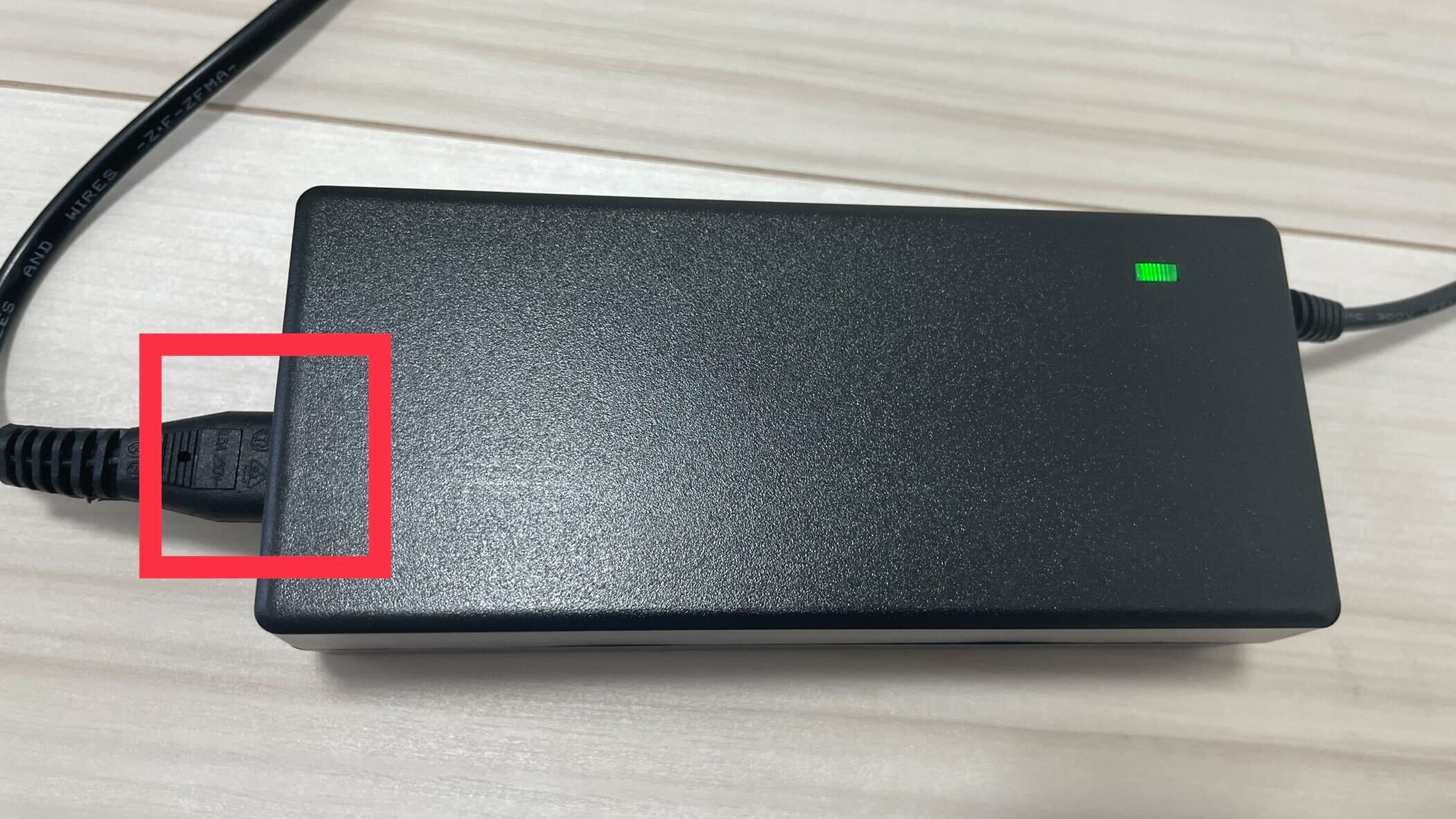
First confirm that power is reaching the dock. Look at the LED on the AC adapter:
- Solid green: Power is fine — skip ahead to Step 2 below.
- No light: No power is getting through. Confirm two things —
- The power cord is firmly seated in the AC adapter.
- The other end of the cord is fully plugged into the wall outlet, and that outlet actually has power.
After reseating the cord, check the LED again and see whether it turns green.
Step 2: Check the dock LED
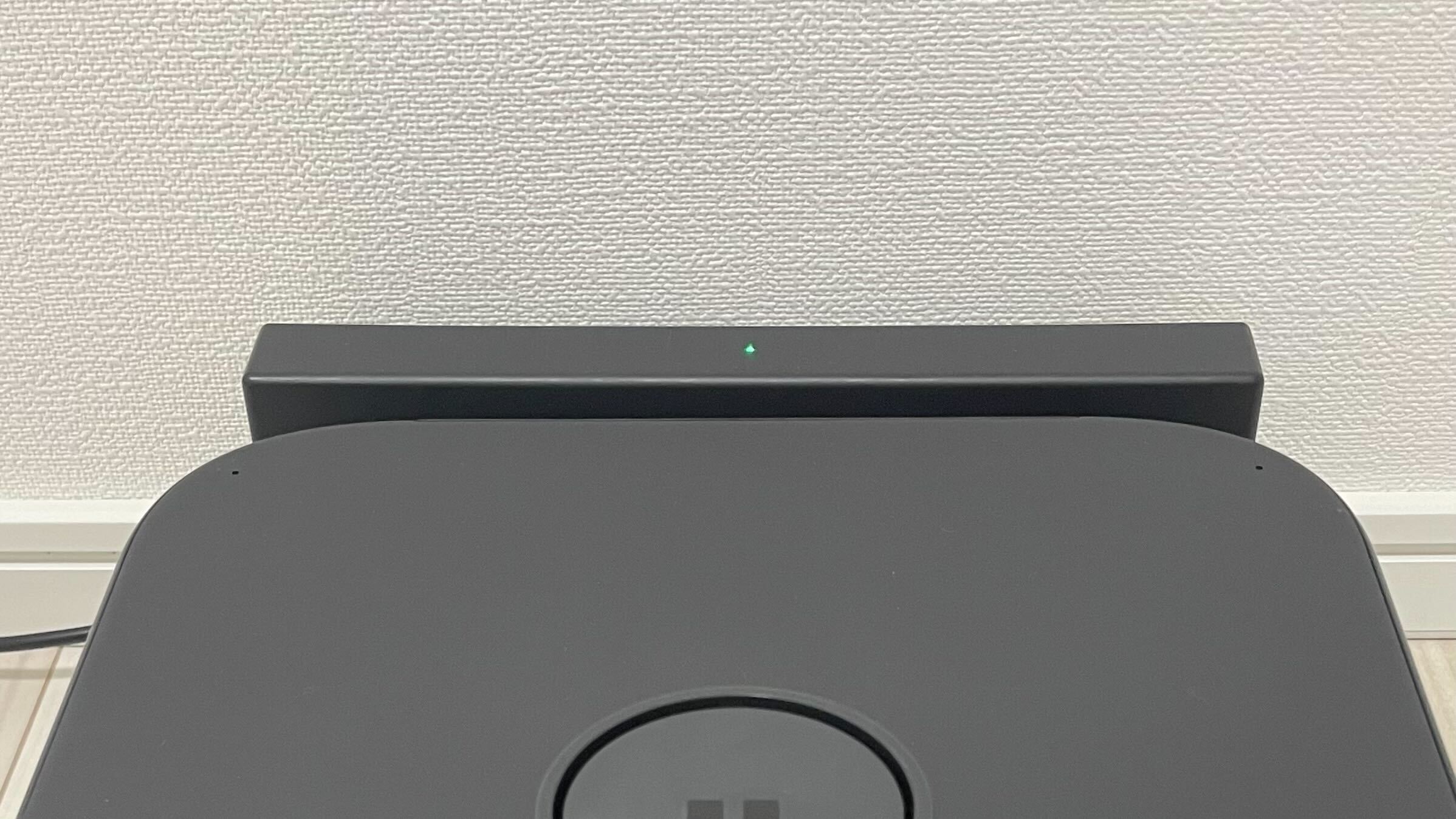
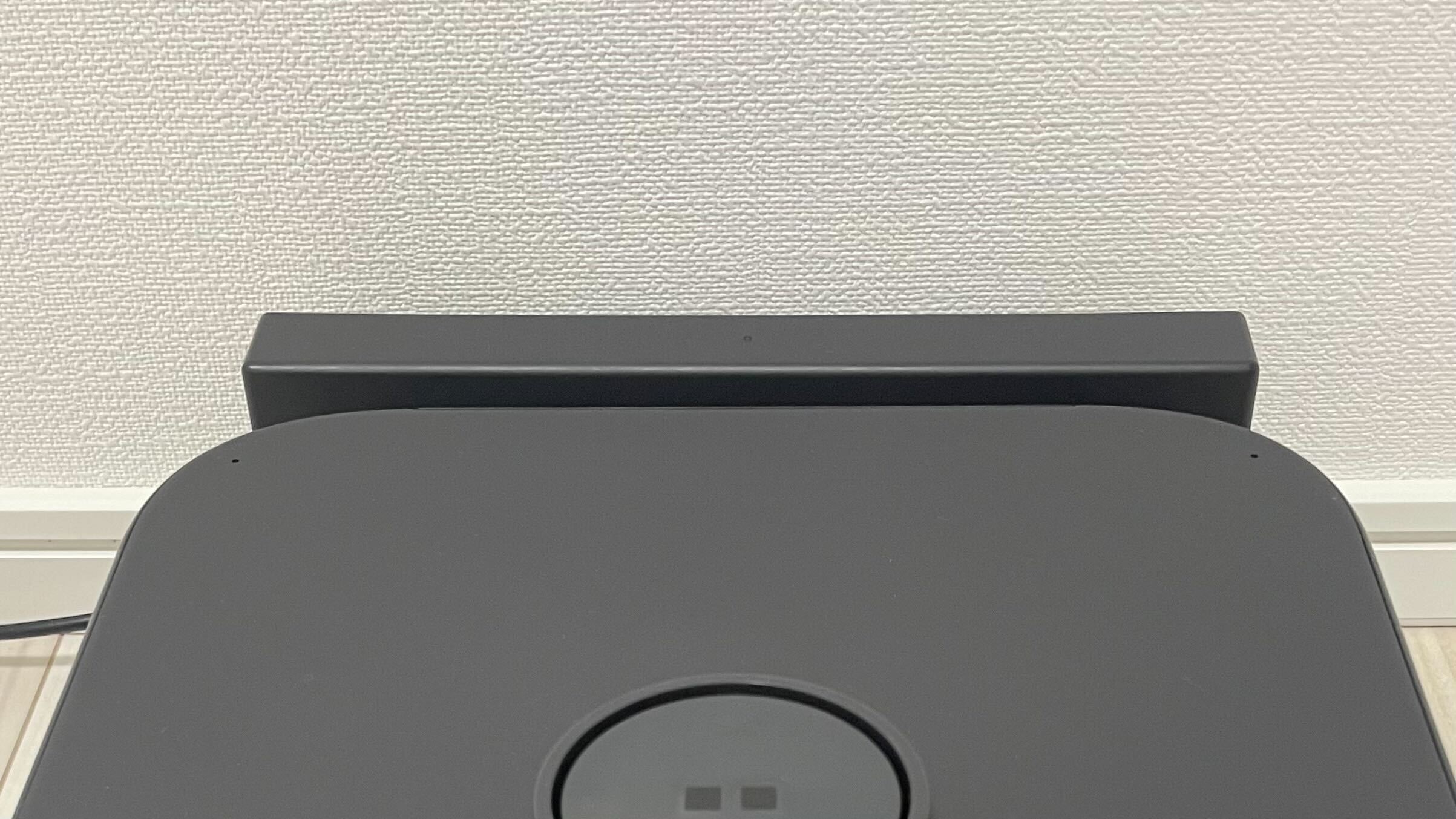
Once the AC adapter shows solid green, place Kachaka back on the dock and watch the LED on the dock itself:
- Solid green: It is charging normally — the issue is resolved.
- No light: Continue with the three contact checks below.
Three checks when the dock LED stays off
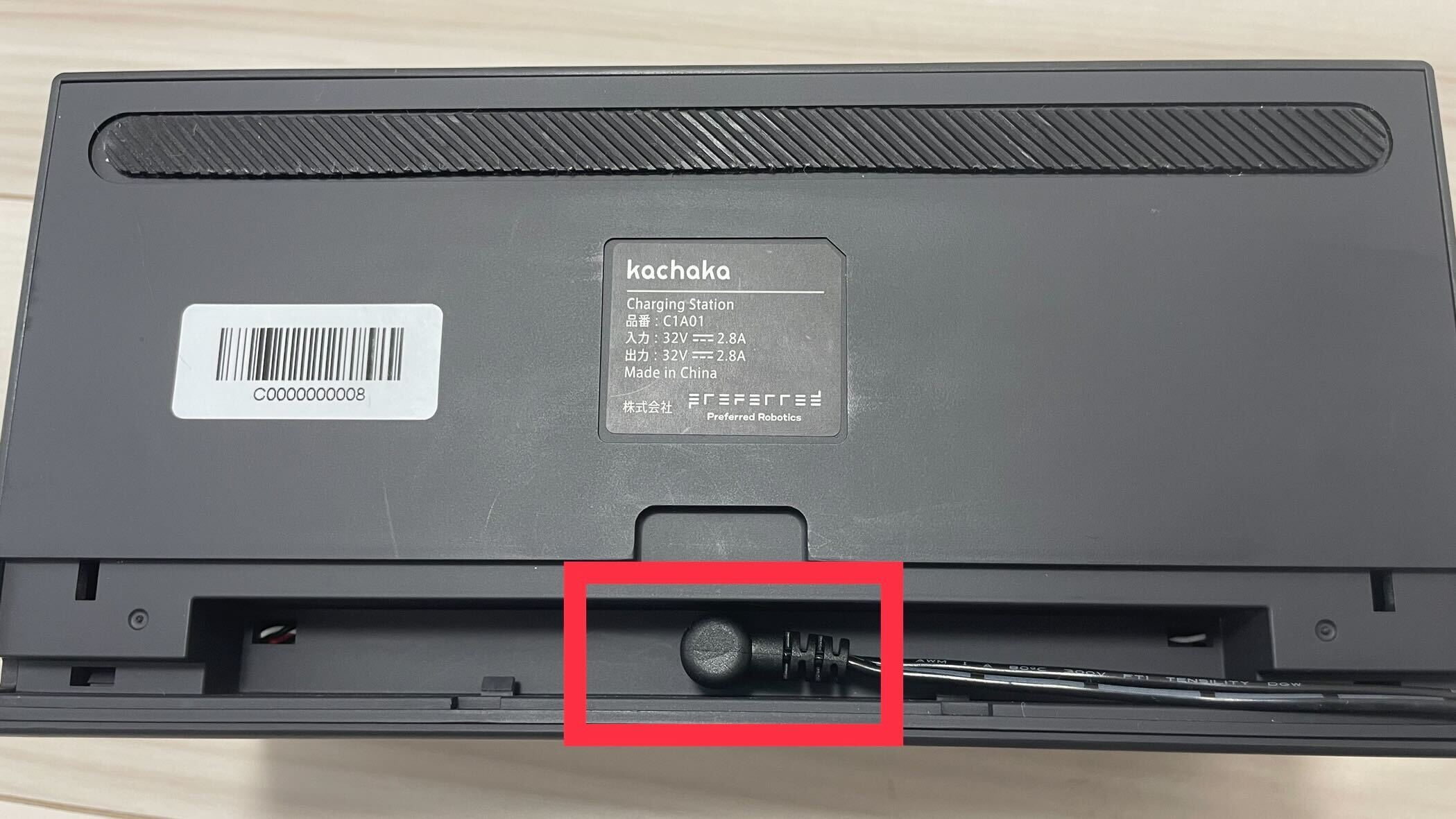
(a) The dock connector
First unplug the AC adapter at the wall outlet so the dock is fully de-energized (the AC adapter LED goes dark) before you handle it. Confirm that the plug connecting the AC adapter to the dock is pushed all the way in and is not loose.
(b) Dirt on the contacts
Again, de-energize the dock first. Inspect the metal contacts where the dock meets the robot — check for dust or grime, and make sure the raised contact points are intact. If the contacts are dirty, wipe them clean gently with a dry, soft cloth. Do not use a damp cloth or any cleaning agent.
(c) The robot’s placement
When you set Kachaka on the dock, leave a few centimeters of clearance between the body and the dock. Do not jam the robot hard up against the dock, as that can actually cause poor contact.
Still not charging?
If you have checked all of the above, the AC adapter shows solid green, and the contacts are clean, but the dock LED still does not light up (or shows a pattern other than charging), first refer to the LED Status Light Reference to interpret what the current pattern means (for example, an overheated battery triggers protection and pauses charging). Once you have ruled out anything the LED can explain, please contact Sigma and have your robot’s serial number and a description of the situation ready.
Screens